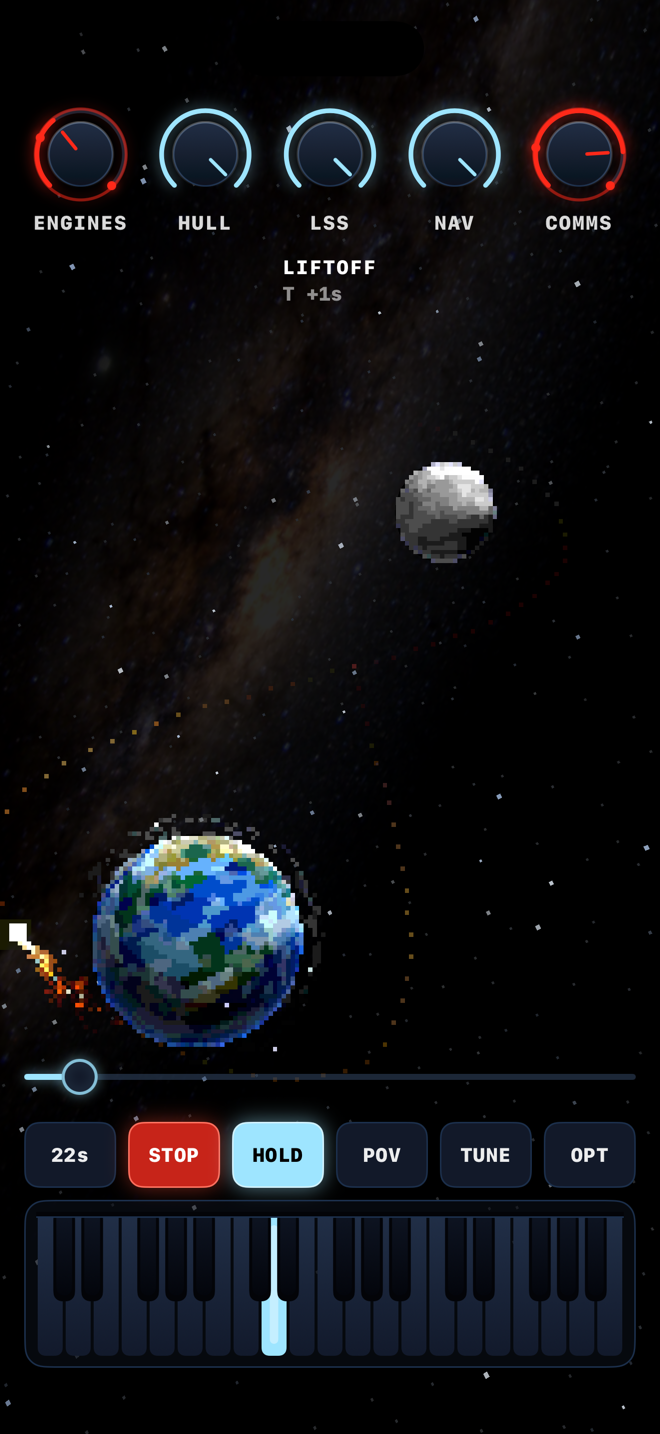
A TRIP, NOT A PATCH
- A spacecraft flies a figure-8 from the Earth, around the Moon and home — and its position on that path is the whole sound
- Drag the craft along the trajectory by hand, or set a flight time and let it fly itself while you play
- The stages don't switch — they blend, so the sound morphs continuously the whole way there and back
FIVE STAGES, FOUR ENGINES
- LIFTOFF — deep roaring engines, everything shaking, metal screeching
- INTERSTELLAR — adventurous and airy, the way out
- AROUND THE MOON — mysterious and dark, bowed strings in a slow room
- INTERSTELLAR — heard a second time on the way home, where the figure-8 crosses itself
- REENTRY — happier, but the craft is burning up in the atmosphere
TWENTY SOUND ENGINES
- Five engines per stage, each with its own sound — and the four stages share not a line of code
- Every engine has its own modulation: nothing in this instrument sits still
- All twenty follow the keyboard, each in its own register — from the sub-bass floor to the burning treble
- Five ship systems mix them: ENGINES · HULL · LSS · NAV · COMMS — one knob owns the same part of the spectrum in every stage
SHAPE IT
- TUNE panel: CUTOFF · RESO · DRIVE · TILT · TONE · SUB · ATTACK · RELEASE · GLIDE · RATE · DEPTH · SPACE
- Multi-touch keyboard with a HOLD latch — latch a note and let the mission move underneath it
- Named trips: hold a finger on any knob for two seconds to lock its value at that point on the path. Two or more locked points and the knob glides between them as you fly — around the loop, with no jump at the seam
- Save and load your trips; seven factory presets in your host
IN YOUR HOST
- Two Audio Units from one app — MNTRP Synth (instrument) and MNTRP FX (effect)
- As an effect, the host's audio replaces the base generator inside every voice: your sound goes through the ship's filters, ring modulators, wavefolders, grain windows and bowed strings, stage by stage along the path
- Full host automation, presets and session state; sample-accurate MIDI in the Synth
- Runs in AUM, Logic Pro, GarageBand, apeMatrix, WBTRK…
A SKY WORTH LOOKING AT
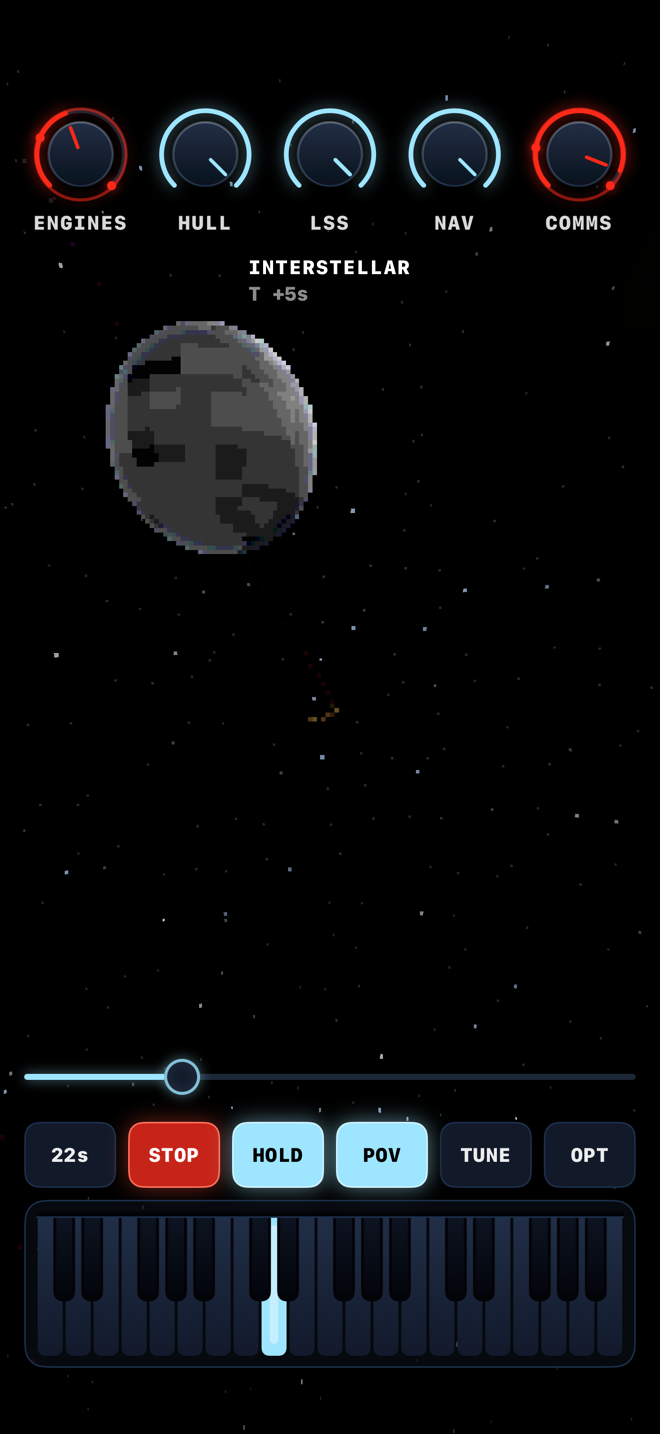
first-person view, mid-flight
- Low-resolution pixel art in a real 3D space — tilt the device and the camera orbits the Earth, the Moon swinging and the sky panning behind it
- POV: ride the craft. A 110° cockpit, the tilt turns your head, the Moon swings past and the Earth comes back up ahead
- A photographed Milky Way overhead, blinking stars, meteors by type, satellites in orbit, clouds turning over a rotating Earth
- Tilt down toward the Earth and the sun slides behind it — a real ray-traced eclipse crosses the Moon, blood-red in the umbra
- Fills the screen exactly on every iPhone and iPad, portrait and landscape
THE PROMISE
- Pay once — no subscription, ever
- Works completely offline
- No account, no ads, no analytics, no data collected
ON YOUTUBE
Reviews of MNTRP by other people.
· · ·
SUPPORT
Questions, bug reports, feature requests, telemetry from deep space:
Include your device, your iOS version and — for plug-in problems — the host you were running in.
FAQ
Where is the plug-in?
Open your AUv3 host and load either “MNTRP: MNTRP Synth” (instrument) or “MNTRP: MNTRP FX” (effect). If neither appears, launch the MNTRP app once, then restart the host.
I pressed FLY and I hear nothing.
MNTRP is an instrument: it sounds when you play it. Hold a key — or tap HOLD to latch one — and then fly. A mission changes where the trip sounds from, never whether it sounds. MNTRP FX has no keys: it sounds when your host sends it audio.
My knobs don't move during a flight.
One locked point means that value holds all the way round the loop — that is what locking a knob is for. Lock two or more points and the knob glides between them as the ship travels.
What does tilting the device do to the sound?
Nothing — the tilt is the camera, not a controller. Your sound stays exactly where you set it however you hold the device.
Will it keep playing when I lock the screen?
Yes, if something is sounding — a latched HOLD drone plays on through a locked screen, and hardware MIDI stays ready while it is switched on and connected. Otherwise MNTRP shuts its engine down shortly after and stops using the battery at all; it picks the flight up where it left off when you come back.
Does it need the internet?
Never. MNTRP makes no network connections at all.