THE CHIP
- The SID sound chip behind a generation of 8-bit game music, modeled
cycle by cycle: three oscillators with triangle, saw, pulse and
noise, ring modulation, hard sync and the analog filter
- Both versions, and they really differ. The 6581: a darker, gritty
filter with a soft resonance. The 8580: clean and deep, with a
strong, piercing resonance. Switch with one key
- Combined waveforms as each chip makes them — full on the 8580,
some all but silent on the 6581
- Real 6581s differ from chip to chip: pick a dark, average or
bright one
SOUNDS
- Sixty-two ready sounds in folders — basses, leads, arpeggios,
keys and bells, pads and brass, raw waveforms
- Every sound is a program running on the chip, the way game
composers built their instruments — not samples
- A drum kit and a game-effects kit on pads, and the effects as
single sounds too: lasers, coins, explosions, power-ups
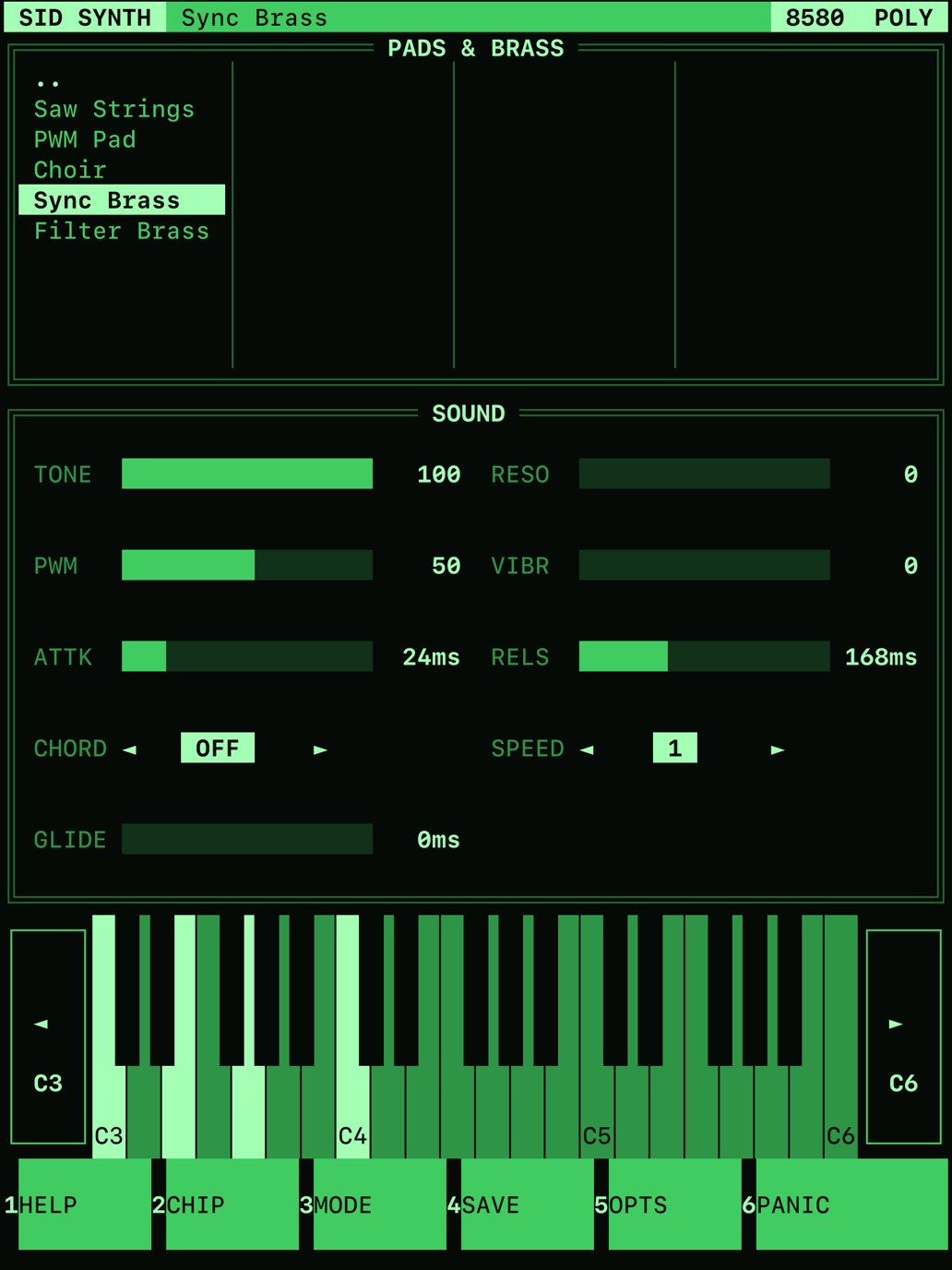
- Six controls over every sound: tone, resonance, pulse-width
movement, vibrato, attack and release. Plus one-voice chords,
arpeggio speed and glide
- Tap a sound's name to hear it before you play. Save your own
sounds as user presets
PLAYING
- Mono, Poly (four chips, one per note) or Chip (three notes on one
chip, sharing its filter, as on the original hardware)
- On-screen piano keys with octave buttons, pads for the kits
- MIDI keyboards over USB or Bluetooth, with pitch bend, mod wheel
and sustain pedal
- A computer keyboard plays too: two rows of letters are piano
keys, as in a tracker
IN THE STUDIO
- AUv3 instrument for AUM, Drambo, Logic Pro, GarageBand
and more — in any window size, from a phone strip to
full screen
- MIDI 2.0, and MIDI 1.0 from any host or keyboard
- Every control is a host parameter, ready for automation; your
sound is saved with the host's project
- User presets are shared between the app and the plug-in
THE LOOK
- A text-mode screen from the DOS days: framed panels, a
function-key bar, block-character sliders
- Five themes: green and amber screens, DOS blue, Retro 16-colour
and C64-style blue
──────────────────────────────────────────────
SUPPORT
Questions, bug reports, feature requests:
hello [at] hejluxom.com
Include your device and OS version
when reporting a problem.
FAQ
Where is the plug-in?
Open your AUv3 host and load the Audio Unit
instrument “hejluxom: SID Synth”. If it doesn't appear, launch the
SID Synth app once, then restart the host.
I switch between 6581 and 8580 and hear little difference.
On the real chips, plain waveforms sound
almost the same — the difference is in the filter. Pick a sound that
uses it (the basses, the pads), or turn TONE down and RESO up on any
sound, then switch the chip.
How do I save a sound?
Press SAVE on the function bar and give it
a name. Your sounds are in the USER folder of the preset browser;
hold one to rename or delete it.
Which keys play on a computer keyboard?
The bottom letter row from Z is one octave, the top row from Q the
next. [ and ] change the octave, ← and → step through the sounds,
Esc stops every note.